West Bengal Voter List Update 2025: The SIR form has already started reaching households across the country. Those who haven’t received it yet will get it soon, as Booth Level Officers (BLOs) are distributing these forms door-to-door.
This form plays a vital role in verifying and updating voter information, ensuring your name and details remain accurate in the official electoral roll.
In this guide, you’ll learn how to correctly fill out your SIR form, which details what to write where, and what documents you may need to submit. Let’s go through each part step by step.
Offline and Online Process
The Election Commission has made the SIR form submission process available both offline and online.
While you can fill it out digitally, it is recommended to complete the physical form you receive at home and submit it directly to your BLO.
Before you start filling, make one xerox copy of the original form. This way, if you make an error, you can redo it using the copy instead of requesting a new form.
Understanding the Pre-Filled Details
The top portion of the form will already include your pre-printed voter information, such as:
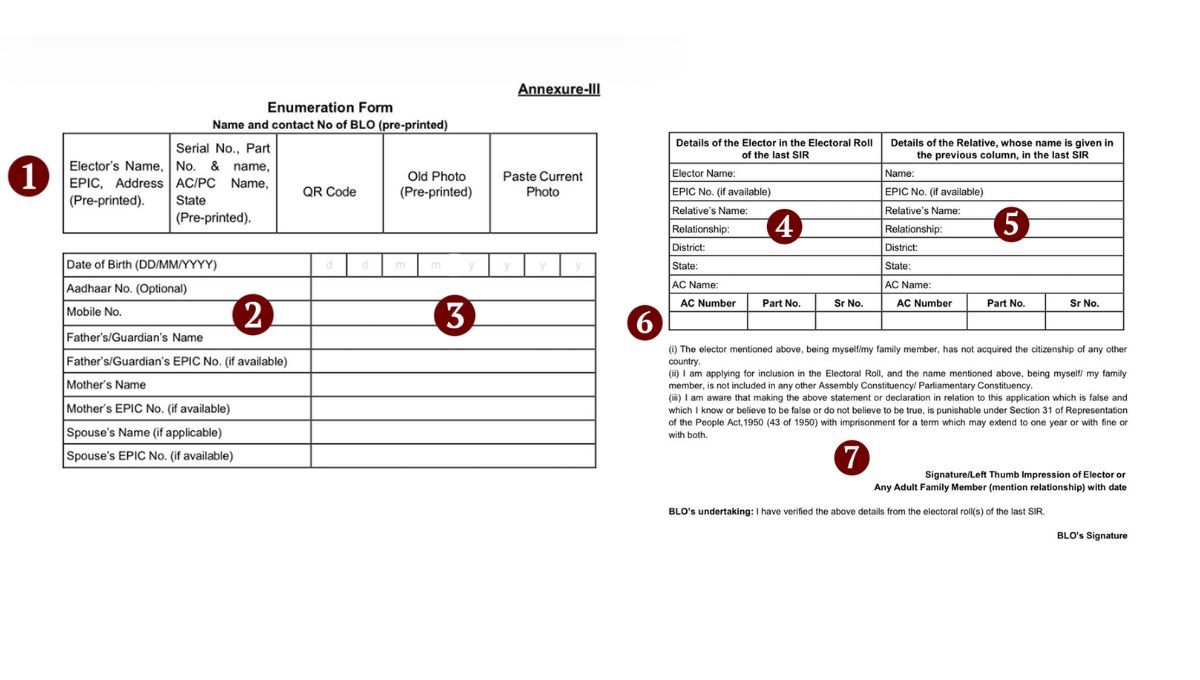
- Your name as per the voter card
- EPIC number (Voter ID number)
- Address, part number, and serial number
- BLO’s name and contact details
- QR code
- Your existing voter ID photograph
You must paste a recent passport-size colour photo in the designated space. Since you will receive two copies of the form, make sure to attach your photo to both.
Personal Information Section
Date of Birth: Write your date, month, and year in the format DD/MM/YYYY.
Aadhaar Number (Optional): If you have one, include it in the given box.
Mobile Number: Write your active phone number.
Father’s or Guardian’s Name: Enter as per official records.
If your father or guardian has an EPIC number, you may include it here.
Mother’s Name: Enter your mother’s name and her EPIC number if known.
Marital Status Details:
For males: Cross out “husband” and write your wife’s name.
For females: Cross out “wife” and write your husband’s name.
Include your spouse’s EPIC number if available.
You can fill out the form in English or Bengali; both are acceptable. The only rule is to ensure clarity and accuracy.
West Bengal Voter List Update 2025
At the bottom of the form, you’ll find two separate boxes. If your name was included in the 2002 voter list, fill out the left box.
What to do:
- Write your name exactly as it appears in the 2002 list.
- Enter your EPIC number if available.
- Include your father’s, mother’s, or spouse’s name as listed.
- Write your district, state, and assembly constituency name and number.
- Enter your part number and serial number from the voter list.
This section helps verify your historical record in the electoral roll.
For Those Not in the 2002 Voter List
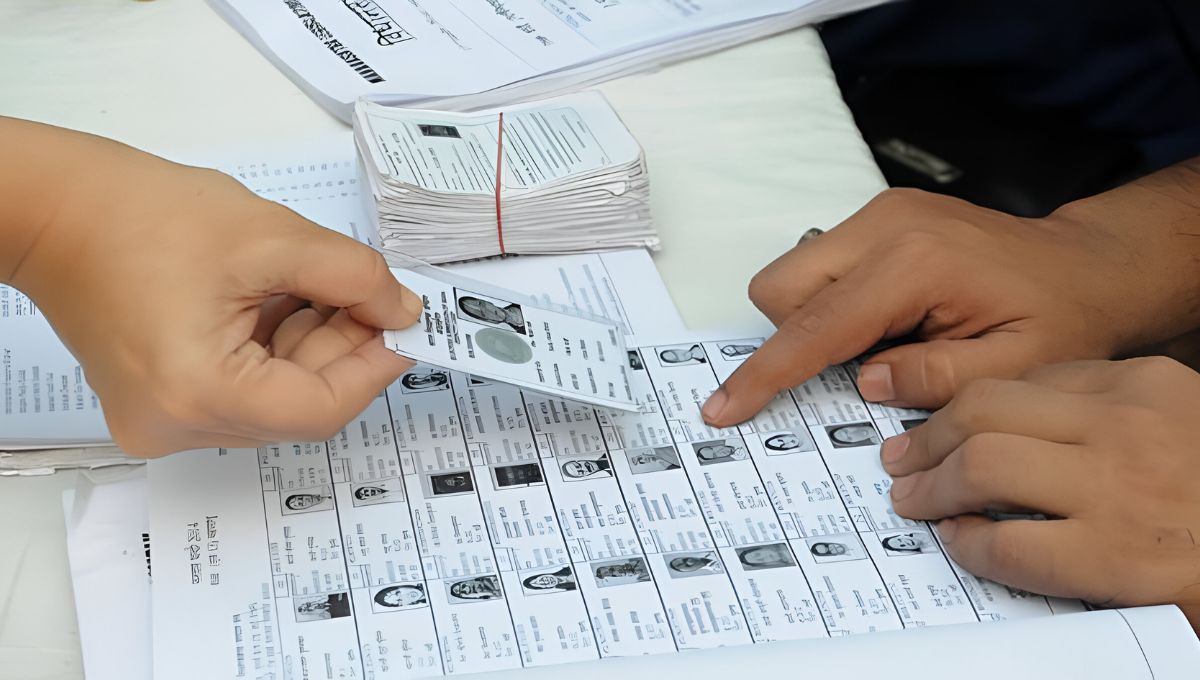
If your name wasn’t in the 2002 voter list, but a relative’s (father, mother, grandfather, or grandmother) name was, fill the right box instead.
Steps to follow:
- Write the relative’s name exactly as in the 2002 voter list.
- Include their EPIC number, if mentioned.
- Add their father’s or spouse’s name from that list.
- Mention your relationship with the person (father, mother, grandfather, etc.).
- Fill in the district, state, assembly constituency name & number, part number, and serial number accordingly.
If no family member’s name appears in the 2002 list, you’ll need to provide a supporting document.
Required Documents (If Not Listed in the 2002 Voter List)
If neither you nor your relatives’ names appear in the 2002 voter list, submit one valid document from the Election Commission’s list of 12 accepted proofs (such as a birth certificate, an electricity bill, or a ration card).
You only need to attach one of these documents along with your form.
Declaration and Submission
At the end of the form, read the declaration section carefully before signing it.
- Sign the form yourself.
- Your BLO will sign and give you one copy of the form as a receipt.
- The BLO will keep the other copy for official records.
This step confirms that your form has been officially received and accepted.
Filling out the SIR form may seem complicated at first, but it’s actually straightforward once you understand each part. Write neatly, check every detail, and use your xerox copy if needed.
This process is essential to ensure your name remains valid in the electoral roll, an important step toward protecting your voting rights.
Disclaimer: This article is intended for informational purposes only. The instructions are based on general guidelines for the SIR voter update form. Always follow the official directions provided by your local BLO or election office for accurate, location-specific instructions.
Also Read
Election Commission Big Update 2025: Add Your Name to the Voter List Without Any Documents!
SIR Form Filling Process 2025 for Married Women, Clear Guidelines
IGNOU December 2025 TEE: Registration Window Open Till October 26, Don’t Miss Out